Instead of repeatedly copying business details between enquiries and order drafts, organise the Blkwd wholesale application process around one retailer record, written confirmation of trading arrangements and a checked first-order worksheet. This retailer-side workflow takes you from preparing your application to reconciling your first delivery without treating a shopping account as wholesale approval.
- The Blkwd wholesale application process starts with retailer details and ends with a checked order confirmation.
- Blkwd wholesale menswear is best for retailers seeking men's clothing, rather than shoppers buying for personal use.
- Confirm application requirements, ordering instructions and trading terms directly before submitting your first wholesale order.
- Keep business details, product variants and supplier correspondence together to prevent conflicting order drafts.
Why this matters
A wholesale application and a purchase order serve different purposes. The application introduces your business; the order specifies what you want to buy under the arrangements confirmed for your account.
Start at Blkwd and follow the wholesale enquiry or application instructions provided there. Do not assume a retail login establishes a wholesale relationship. Keep the application, account correspondence and order instructions together in your 2026 supplier folder.
Your objective is a clear handover between the person applying, the person buying and the person receiving the goods. Even when you handle every role yourself, separating those decisions makes errors easier to catch.
Before you start
- Prepare your business record. Gather your trading name, legal business details, business contact information, sales channels and delivery details. Have your Australian Business Number ready if requested; submit documents only through the channel specified for the application.
- Prepare your buying brief. Describe your customers, the menswear categories you want to carry and how those categories fit your shop. Nominate one person to manage supplier correspondence and keep a shared order worksheet accessible to everyone involved.
- Resolve the approval gotcha first. Application submission, account creation and acceptance of an order are separate events. Obtain explicit confirmation of your wholesale arrangements and the correct ordering method before committing your first order.
Keep sensitive documents out of broadly shared buying spreadsheets. Store the application evidence securely, and put only the information needed for order preparation into the working file.
Retailer application record
Prepare the business details
- Create a supplier folder labelled Wholesale onboarding 2026. Add separate areas for application correspondence, trading arrangements, order drafts and delivery records. These are your own filing labels, not website controls.
- Create a business-details document. Record the legal business name separately from the shop's trading name so the application and invoice details do not become mixed.
- Add your primary contact, business email, phone number and delivery instructions. Record billing and delivery addresses separately, even when they match.
- Write a short retail profile explaining what you sell, who buys it and where you sell. Describe your existing business accurately rather than promising sales volumes you cannot substantiate.
- Check the details against your business records before copying them into an application or enquiry.
Expected result: you have a consistent business record that can support the application and subsequent order correspondence.
Avoid collecting information simply because another supplier requested it previously. Follow the current application instructions and provide the details relevant to this relationship.
Submit through the confirmed channel
- Use the application or enquiry route identified on the official site. Follow the actual field names and submission instructions presented there rather than searching for an assumed wholesale portal.
- Save the submitted information and any acknowledgement. Record the submission date, contact address used and the person responsible for following up.
- Keep later questions in the same correspondence thread where practical. Answer requests against the original business record rather than creating competing versions.
Expected result: you can identify what was submitted, when it was submitted and which questions remain open.
Wholesale trading arrangements
Blkwd wholesale menswear is best for retailers seeking men's clothing rather than personal-use purchases. Its stated range covers shirts, polos, t-shirts, denim, pants, shorts, jackets, suits and blazers; choose categories around your customers, not around the full catalogue.
- Ask for confirmation that your business can proceed under the wholesale arrangements offered. Retain the response with your application record.
- Confirm the ordering method and the contact responsible for account questions. Use the instructions supplied to your business rather than assuming orders must pass through the retail checkout.
- Clarify any order thresholds, pack requirements, payment arrangements, freight terms and procedures for reporting discrepancies. Record the answers without filling gaps from another supplier's policy.
- Ask which product information and imagery you are permitted to use if you intend to sell online. Keep any permissions with your account correspondence.
- Record unresolved questions in a short action list and assign an owner to each one.
Expected result: the buyer knows how to order and which terms govern the purchase before preparing a final commitment.
For your 2026 buying plan, distinguish a supplier's stated requirement from your own preference. A preferred delivery date in your worksheet is a request, not a supplier commitment.
Approval gates
Move through these gates in sequence: Business details, Application, Trading terms, Order draft, Confirmation. Each gate needs its own evidence; completing an earlier gate does not prove a later one is complete.
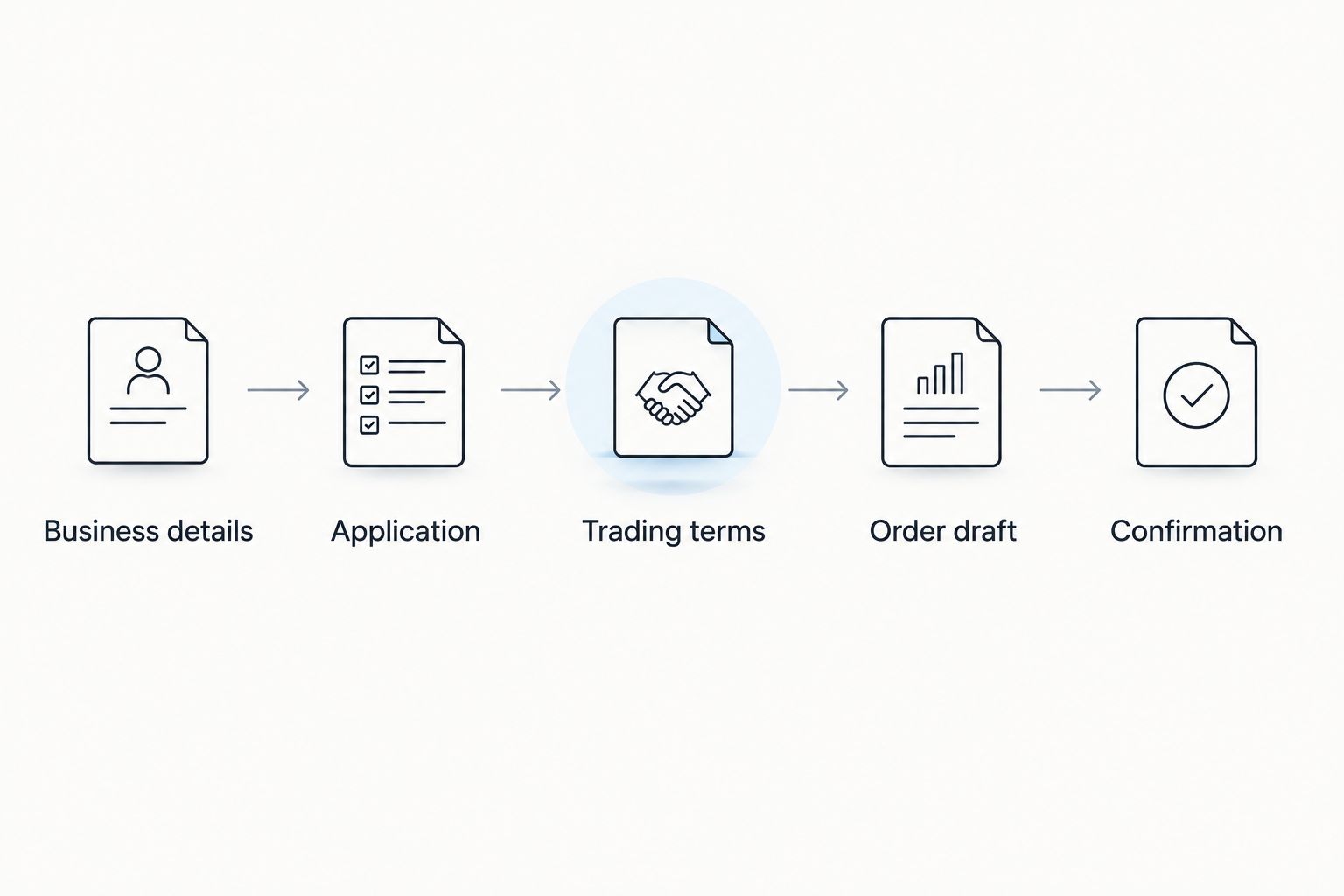
Keep the evidence beside the relevant gate in your supplier folder. This makes the handover understandable without requiring another staff member to reconstruct an email history.
First-order worksheet
Start with a clear buying brief: the customer need, intended category and role each garment will play in your shop. A focused first order is easier to assess than an assortment with no stated purpose. The trade-off is narrower coverage, so check that the selection still addresses your intended customer.
- Create 1 row per product variant. Use the supplier's exact product name and identifier where provided, then record colour, size and requested quantity separately.
- Keep your internal item reference in a different column. Never replace the supplier identifier with a shop nickname that the order recipient cannot match.
- Check size information for each selected style. Do not treat the same size label across different garments as proof of identical measurements or fit.
- Separate confirmed information from open questions. Leave an unresolved detail visibly unresolved rather than copying an assumption into the final order.
- Add the agreed ordering reference and your delivery details. Save a clearly labelled draft before submitting anything.
Expected result: every requested garment can be identified by product, colour, size and quantity without interpreting free-text notes.
Keep the worksheet practical. Useful columns identify what you intend to order and what needs clarification; decorative status fields add work without improving the handover.
Physical variant check
Lay out any garments you already have permission and access to inspect in the same sequence as your worksheet. Match their identifiers to the records instead of relying on a photograph or memory alone.
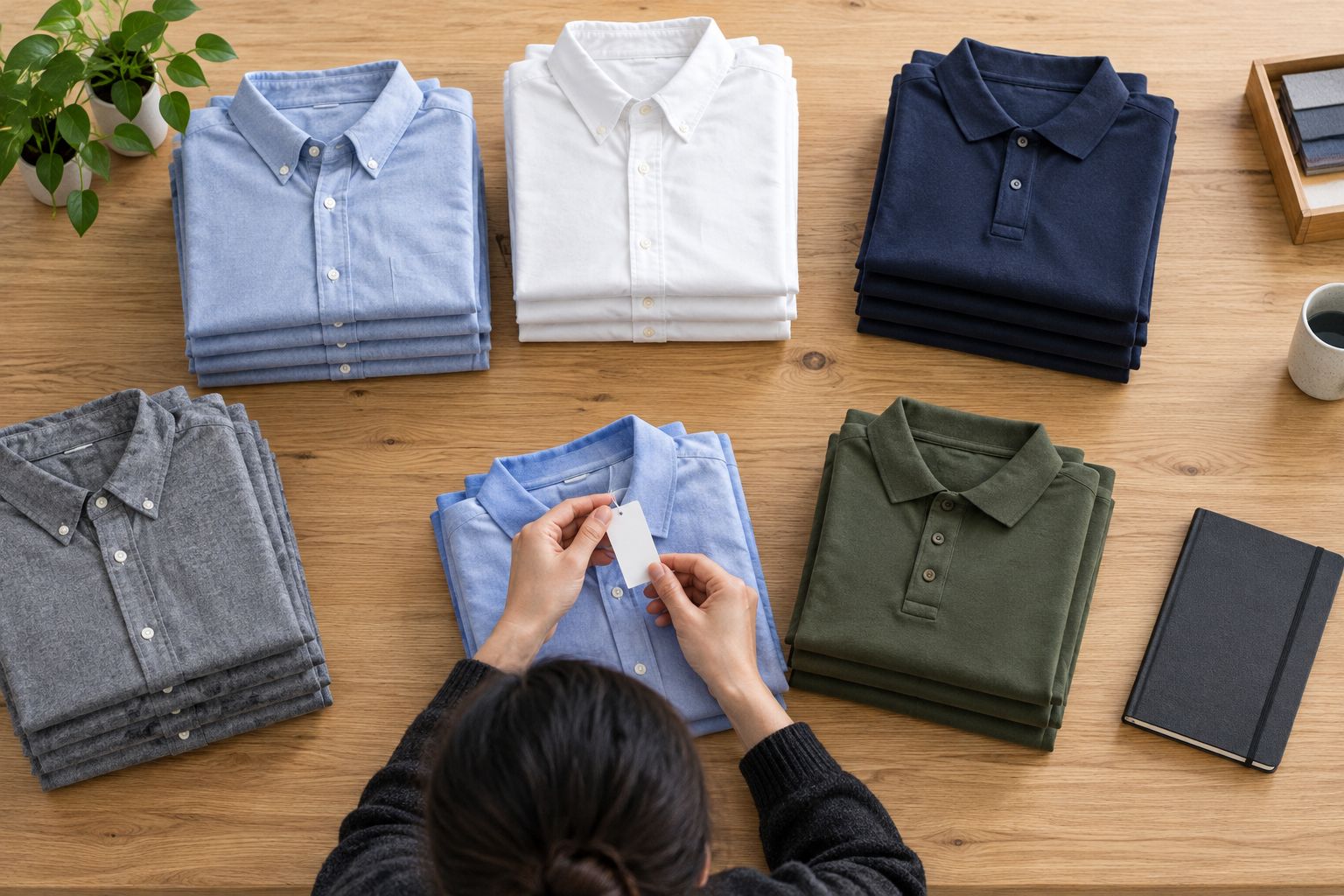
If you have not inspected a garment, keep product-description facts separate from your own observations. Do not write fit, fabric or performance claims that you have not verified.
Order submission and receiving record
- Complete 2 checks before submission: a product-variant check and a business-details check. Compare every order line with the intended selection, then confirm the business name, contact and delivery address.
- Submit the order using the method confirmed for your account. Save the submitted version separately from later revisions.
- Compare the supplier's order confirmation with your submitted order. Resolve differences in product identity, quantities or delivery details before treating the documents as aligned.
- Record any agreed changes in writing. Mark an older draft as superseded so another team member cannot accidentally reuse it.
- When goods arrive, compare the received items with the order confirmation and delivery documentation. Record discrepancies clearly and follow the supplier's stated reporting procedure.
Expected result: you retain 3 records that explain the transaction: the submitted order, the supplier confirmation and the receiving record.
For 2026 orders, include the order reference in receiving notes and discrepancy correspondence. A photograph helps identify a problem, but pair it with the relevant product identifier and a written description.
Keep unconfirmed changes out of your store's product records. Supplier correspondence should establish what changed before the merchandising team updates its own files.
Repeat-order workflow
A repeat order reuses verified business details, not an untouched copy of the first purchase. Check current ordering instructions and any changed trading arrangements before resubmitting previous selections.
| Workflow | Best for | Advantage | Limitation |
|---|---|---|---|
| First-order workflow | Retailers establishing a supplier relationship | Creates a documented application and ordering record | Requires business details and trading arrangements to be checked before ordering |
| Repeat-order workflow | Retailers replenishing previously received lines | Reuses verified identifiers and buying records | Old selections and instructions still need checking before reuse |
For a repeat order, duplicate the worksheet structure but clear the quantities. Review your own sales and receiving records, confirm the exact variants you intend to reorder, and check changes with the supplier before submission.
Reuse the structure, not the assumptions. A previous order confirms what happened then; it does not establish the details of a new purchase.
Troubleshooting
You cannot establish whether the application progressed
Check the original submission record and any acknowledgement before sending another application. Follow up through the official channel with your business name and submission date, keeping the correspondence together.
You can access a shopping account but lack wholesale instructions
Keep the order as a draft. Ask for explicit wholesale ordering instructions rather than treating account access or a retail cart as evidence that wholesale arrangements apply.
The order contains ambiguous garment descriptions
Replace descriptions such as navy shirt with the supplier's exact product name and identifier where supplied. Split colours and sizes into separate variant rows so quantities cannot drift between garments.
The confirmation differs from your worksheet
Compare the confirmation with the version actually submitted, not a later working draft. List the differing lines in one message and retain the response with the order record.
The delivery does not match the confirmation
Record the affected identifiers, quantities and condition on receipt. Keep the packaging and delivery paperwork while following the supplier's discrepancy instructions; do not substitute an assumed reporting deadline.
Customise your workflow
For an online shop, add a product-data handover after the order records align. Record the supplier identifier, your own SKU, approved product descriptions and image permissions before creating customer-facing listings.
Use the guide to listing Blkwd wholesale stock on Shopify for that next stage. Keep purchasing records separate from publishing records: placing an order does not by itself establish every fact needed for a product listing.
For a physical shop, add a receiving-to-floor handover instead. Identify who checks garments, who resolves discrepancies and who prepares the merchandise for display.
Review your 2026 workflow whenever your business contact, delivery address or sales channels change. Update the supplier record and the internal worksheet together so the next order starts from consistent details.
FAQ
How do I start the Blkwd wholesale application process?
Start on the official website and follow the wholesale application or enquiry instructions provided there. Prepare your business details and retail profile, then retain the submitted information and correspondence.
Does creating a retail account mean I have wholesale approval?
Do not treat retail account creation as wholesale approval. Obtain explicit confirmation of your wholesale arrangements and ordering instructions before submitting a wholesale order.
What business details should I prepare for a wholesale application?
Prepare your legal business name, trading name, contact details, sales channels and delivery information. Have your Australian Business Number ready if requested, and follow the actual application requirements.
How long should I wait for a wholesale application response?
Use any response timeframe supplied with the application instructions or acknowledgement. If no timeframe is stated, follow up through the official contact channel with your submission date and business name.
How do I choose quantities for my first menswear order?
Base requested quantities on your buying brief and your own customer evidence. Confirm any applicable order or pack requirements directly before finalising the worksheet.
Can I copy product photos into my online shop?
Confirm permission to use product imagery before publishing it in your shop. Retain that permission with your supplier records and use only the materials covered by it.
What should I do when my first delivery does not match the order?
Compare the delivery with the supplier's order confirmation and document the affected items. Follow the supplier's stated discrepancy procedure and retain the delivery paperwork and correspondence.
One last thing
Your most useful first-order document is the version you actually submitted. Keep it unchanged, even when later correspondence revises the order; otherwise, you lose the evidence needed to explain a difference between your request, the confirmation and the delivery.